

My Profile
The 'My Profile' page allows you to manage your personal information, change your access password, and, if you are a MANAGER, configure your organization's logo.
Accessing the 'My Profile' Page
1
Locate the Link
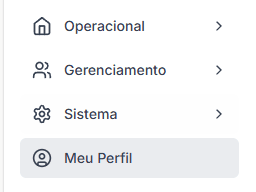
In your dashboard's side menu, in the 'My Profile' section, look for the 'My Profile' link.
2
Navigate to the Page
Click the link to be directed to the settings page.
Updating Personal Information
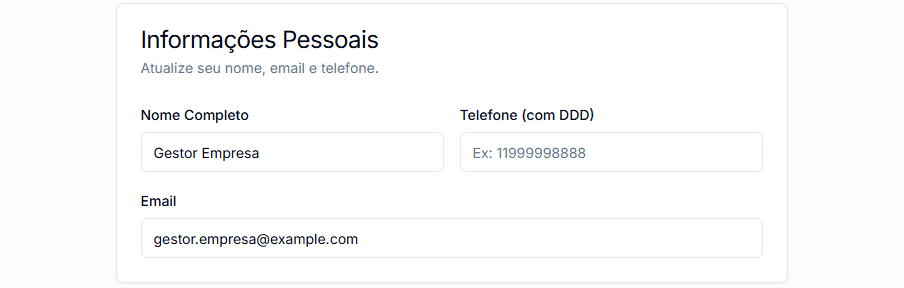
In this section, you can edit:
- Full Name: Your name as it will be displayed in the system.
- Phone: Your contact phone number.
- Email: Your login email address.
1
Edit Fields
Modify the fields as needed.
2
Save Changes
Click 'Save Profile Changes' to apply the changes.
Email Change
If you change your email address, this new email will become your primary login. Make sure it is correct.
Changing Your Password
It is a good security practice to change your password periodically.
1
Locate the Password Section
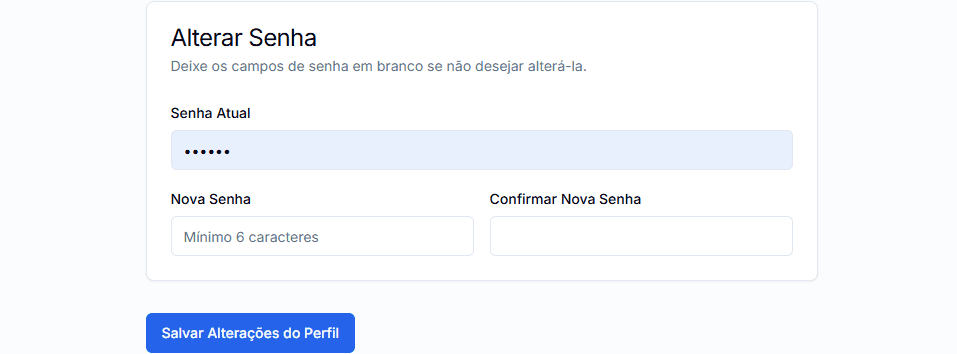
On the 'My Profile' page, find the 'Change Password' section.
2
Fill in the Fields
- Current Password: Enter your current login password.
- New Password: Create a new strong password (minimum 6 characters).
- Confirm New Password: Re-enter the new password.
3
Save New Password
Click 'Save Profile Changes'. Your password will be updated.
Organization Logo (Managers Only)
If you are a user with the MANAGER role, the 'My Profile' page also offers the functionality to manage your company's logo.
This functionality is detailed in the Organization Logo section.
Keeping your profile updated and your password secure contributes to the proper use and security of your account.