

Service Catalog
The Service Catalog is where you define the services your company offers, along with their descriptions, standard prices, and required specialties. Using a well-structured catalog significantly streamlines the creation of Quotes and Work Orders.
Advantages of a Service Catalog
- Standardization: Ensures that the same services are always described and priced consistently.
- Agility: Reduces the time spent typing repetitive information when creating proposals and WOs.
- Smart Assignment: Allows MobilOS to suggest the correct technicians by linking services to specialties.
- Easy Analysis: Allows analyzing which services are most profitable or most requested in reports.
Adding a New Service Item
To include a new service or product in your catalog:
Access the Catalog
In the manager panel's side menu, in the 'Management' section, click on 'Service Catalog'.
Start Item Creation
On the catalog page, click the 'New Item' button.

Fill in Item Details
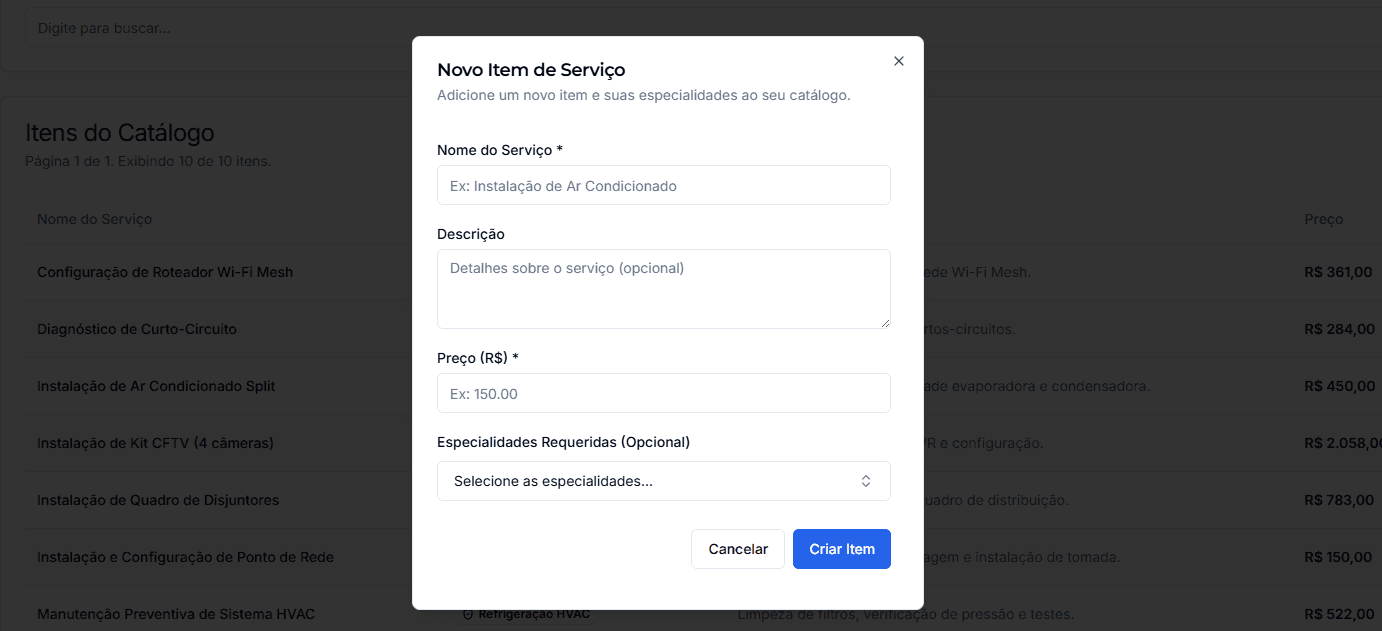
A form (modal) will be displayed. Provide the following information:
- Service Name *: The clear and objective name of the service or product.
- Description (Optional): Additional details about what is included in the service.
- Price (R$) *: The standard value for this service/product.
- DocsManagerServices.addingItem.step3.item4
Save the Item
Managing Items in the Catalog
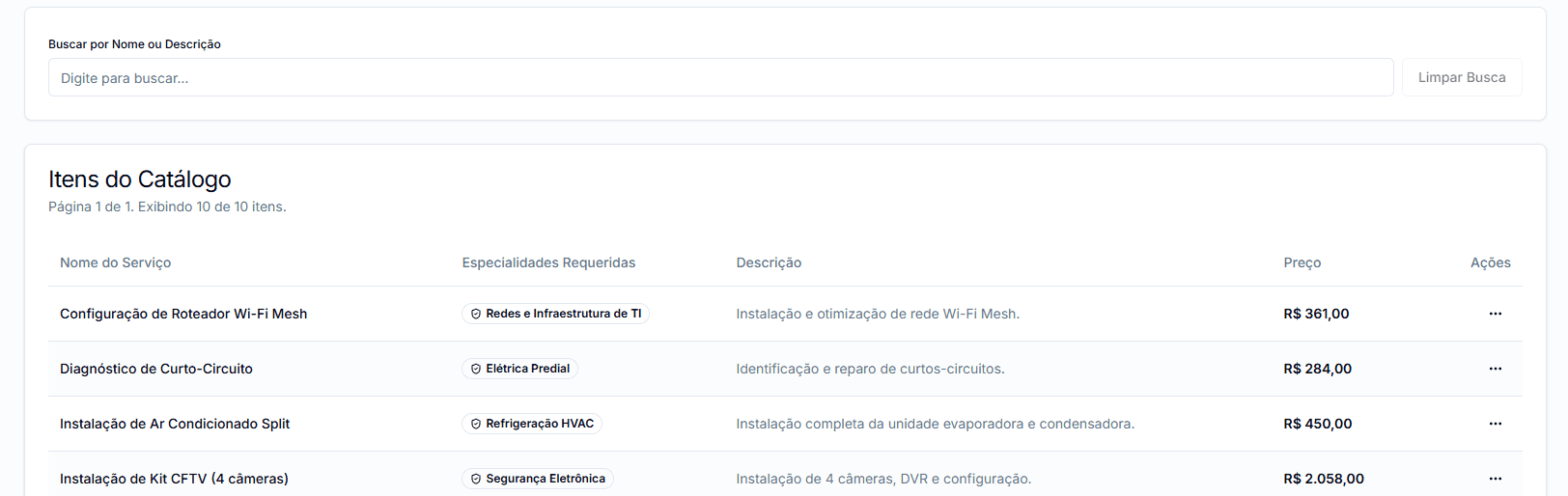
The 'Service Catalog' page lists all items you have registered. You can use the search bar to quickly find items.
Actions per Item
In the 'More Options' menu for each item, you can:
- Edit: Opens the service item editing form.
- Delete: Removes the service item from the catalog.
Impact of Deletion and Editing
When editing a catalog item: Editing a service item will affect all Work Orders and Quotes that already use it. Exercise caution when changing prices or descriptions of services in use.
Maintaining an updated and well-described service catalog is a fundamental step for efficiency and professionalism in creating your proposals and service orders.