

Management Reports
The Reports section of MobilOS offers valuable insights into the performance of your operation. Use this data to make strategic decisions, identify bottlenecks, evaluate team productivity, and understand the financial health of your services.
Data-Driven Decision Making
Accurate and easy-to-understand reports are essential for:
- Identifying the most profitable and most requested services.
- Evaluating the efficiency and productivity of each technician.
- Analyzing the volume of Work Orders by status and period.
- Tracking the financial performance of completed WOs.
- Planning resources and optimizing processes.
Common Filters in Reports
Most reports allow you to refine the displayed data through filters. The most common filters include:
- Period Filter: Select a predefined period (e.g., Last 30 days, This Month) to analyze the data.
- Filter by Client: Select a specific client to see reports related only to them.
- Filter by Technician: Select a technician to analyze their productivity and performance.
You can Export report data to CSV for more in-depth analyses.

Available Report Types
MobilOS offers various reports to cover different aspects of your operation:
Key Metrics:
- Total Gross Revenue, Total Actual Cost, and Total Gross Profit.
- Average Ticket per completed WO.
Details: A table lists each completed WO, with value, costs, and profit information.

Key Metrics:
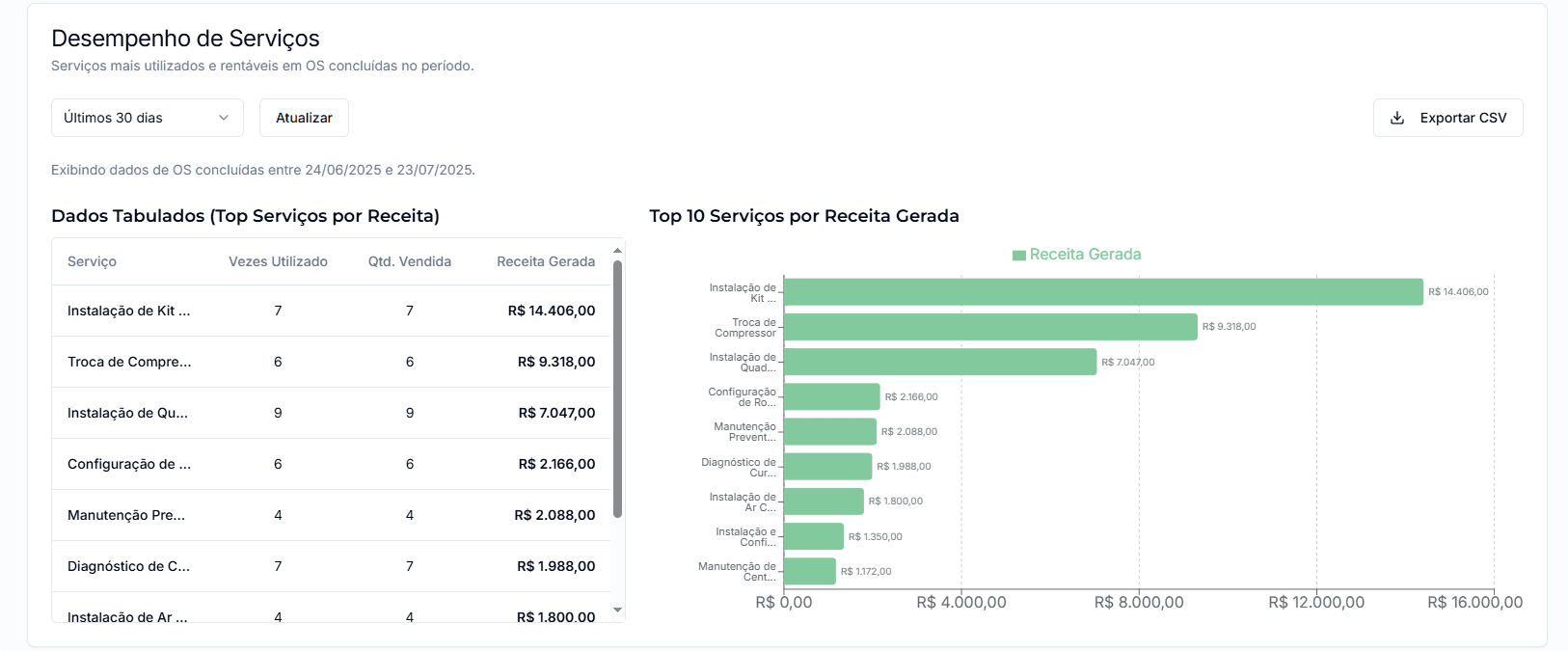
- Most profitable services (by total revenue).
- Most used services (by number of times).
Details: Presents a table with services ordered by revenue and a bar chart for quick visualization.
Key Metrics:
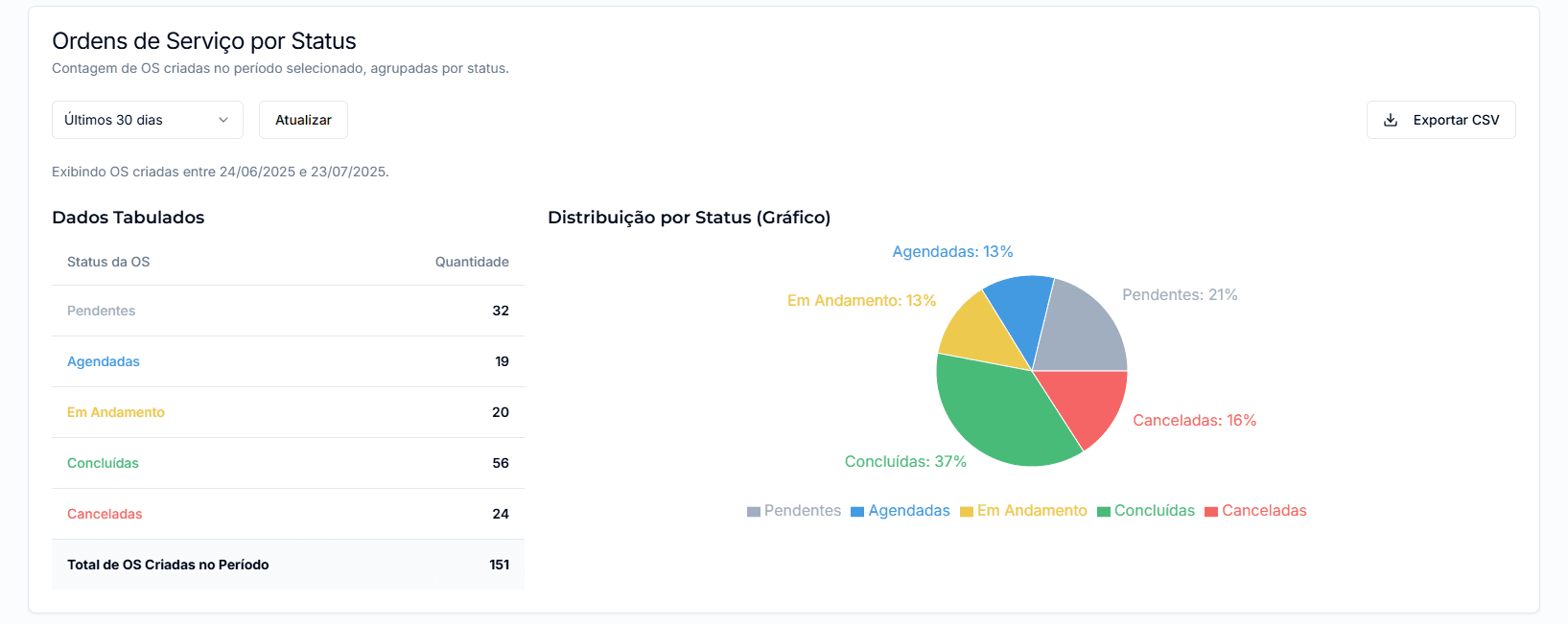
- WO count by status (Pending, Scheduled, Completed, etc.).
- Percentage distribution of each status.
Details: Table with the quantity of WOs for each status and a pie chart showing the percentage distribution.
Key Metrics:
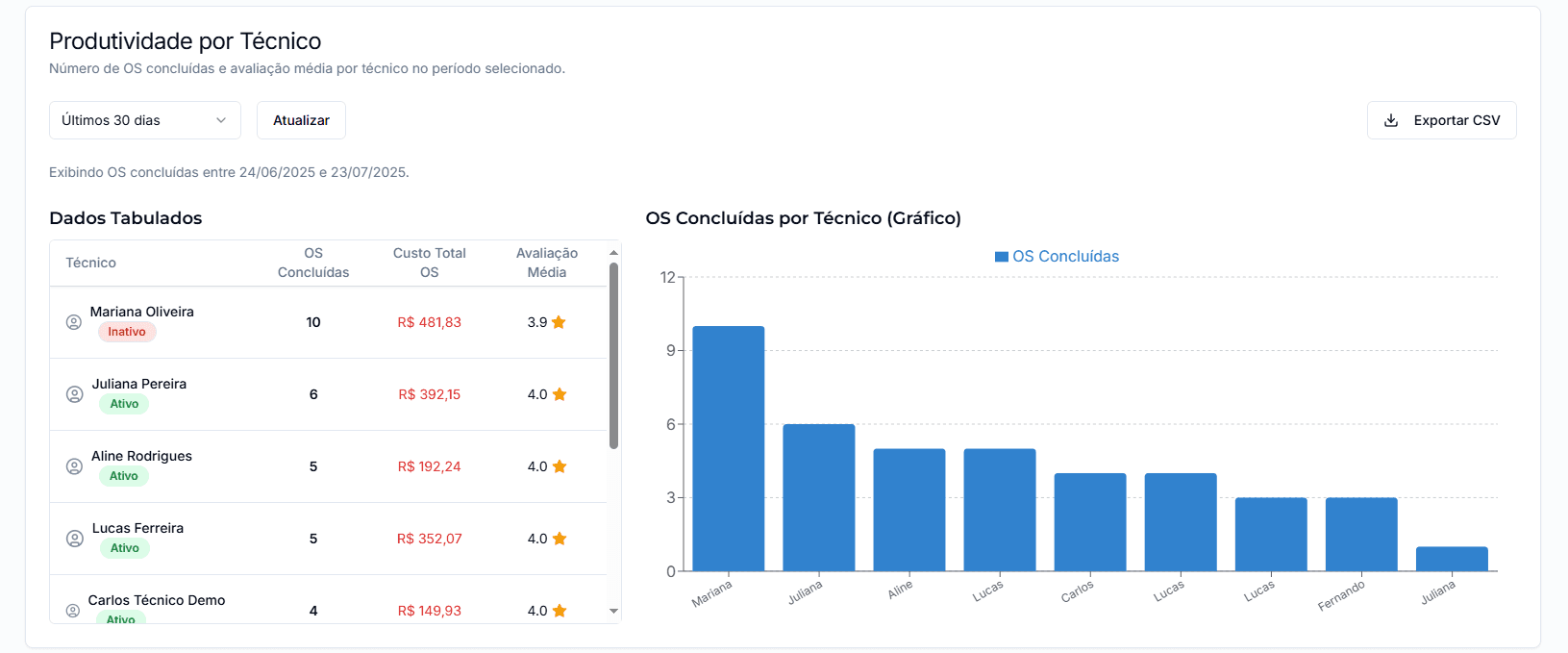
- Total completed WOs per technician.
- Average rating (1 to 5 stars) per technician.
Details: Detailed table and bar chart comparing productivity, total WO cost for each technician, and their average rating.
Report Availability
Some advanced reports (such as financial and productivity reports) may only be available on higher plans. Check your Subscription for more details.
Regular use of reports is a recommended practice for continuous improvement of your processes and for the sustainable growth of your service business.